Features
Brewwery covers everything you do with Homebrew day to day, organized into fifteen pages in the sidebar.
Dashboard
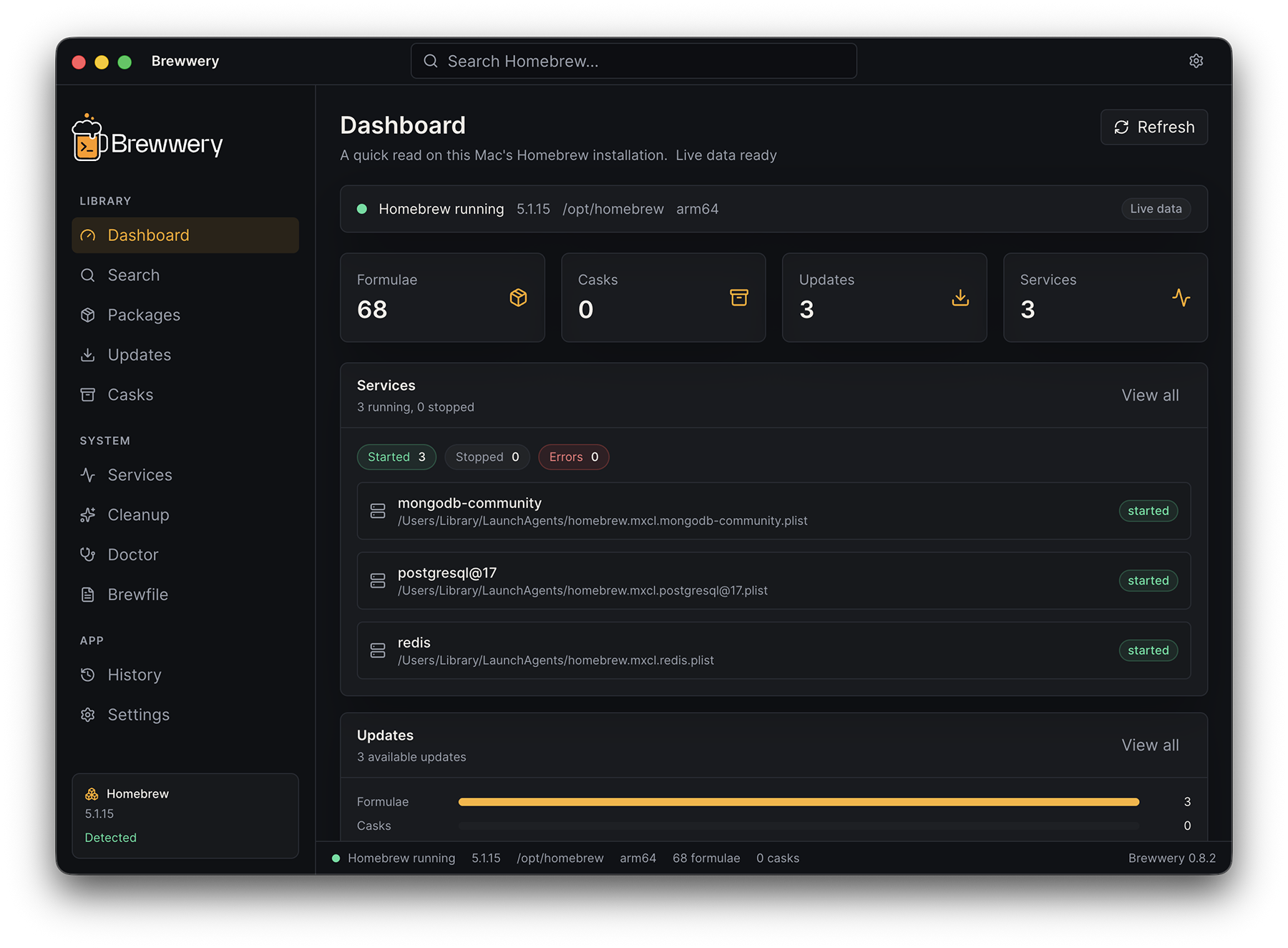
Your Homebrew setup at a glance:
- Homebrew status, version, prefix, executable, and architecture
- Counts of installed formulae, casks, available updates, and services
- A short list of pending updates and service states
- Refresh data and Check for updates actions
Library
Packages
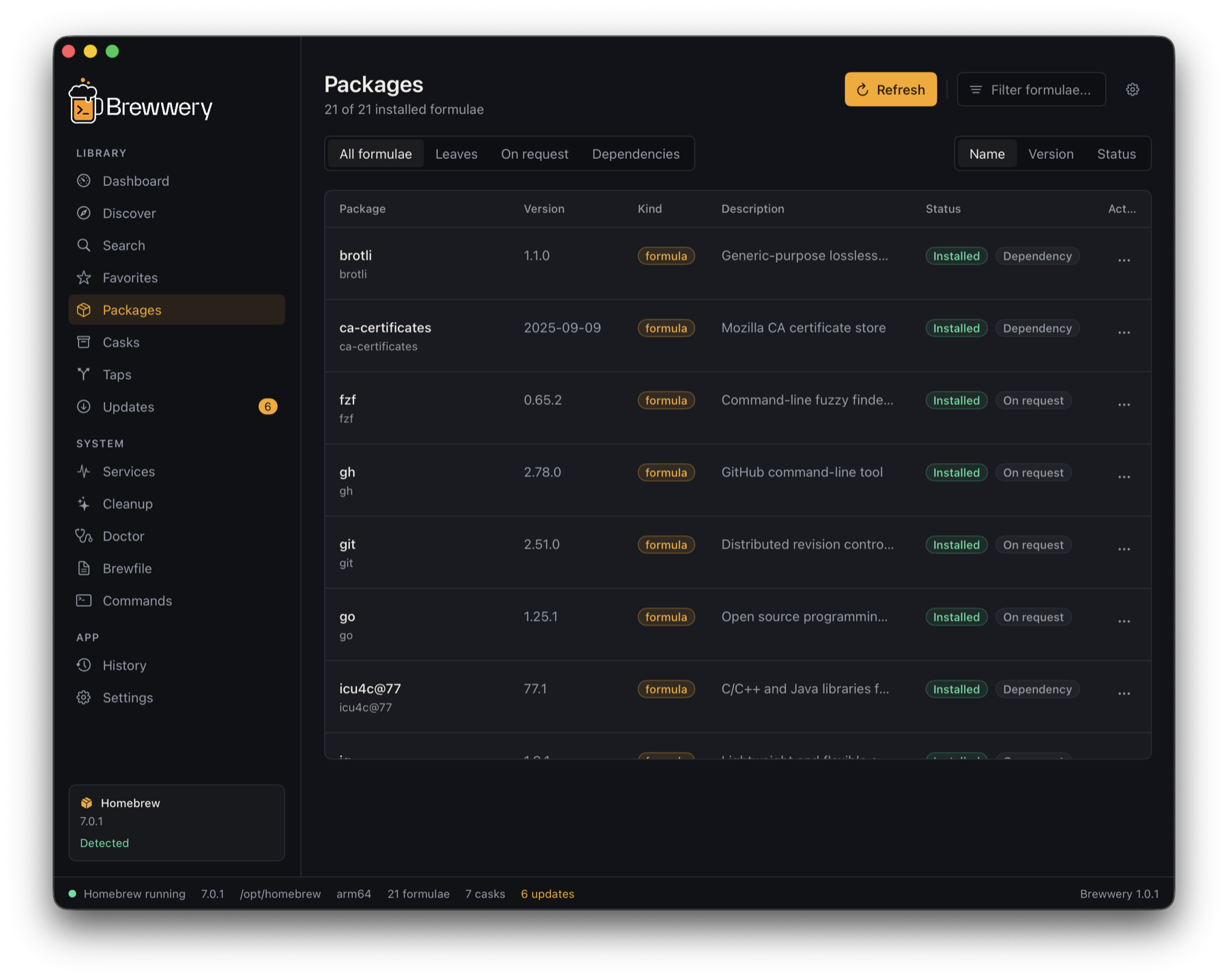
Every installed formula in one table:
- Name, version, kind, description, and status for each formula
- Filters for All formulae, Leaves (formulae nothing else depends on), On request, and Dependencies
- Sort by name, version, or status, and filter by typing in the page header
- A details panel with homepage, versions, dependencies, installed dependents, and caveats
- Actions to uninstall, pin or unpin the version, copy the package name, or copy the install, uninstall, and upgrade commands
- A Pinned badge on formulae held with
brew pin
Casks
The same table for installed casks — Mac apps, fonts, and other binaries — with sorting, filtering, details, and uninstall.
Search
Search all of Homebrew for formulae and casks:
- Results appear as you type (searches start after a short pause)
- Each result shows whether it is already installed
- Open details to see versions, dependencies, and caveats, then install or uninstall after confirmation
- Press
⌘Kfrom any page to jump to search
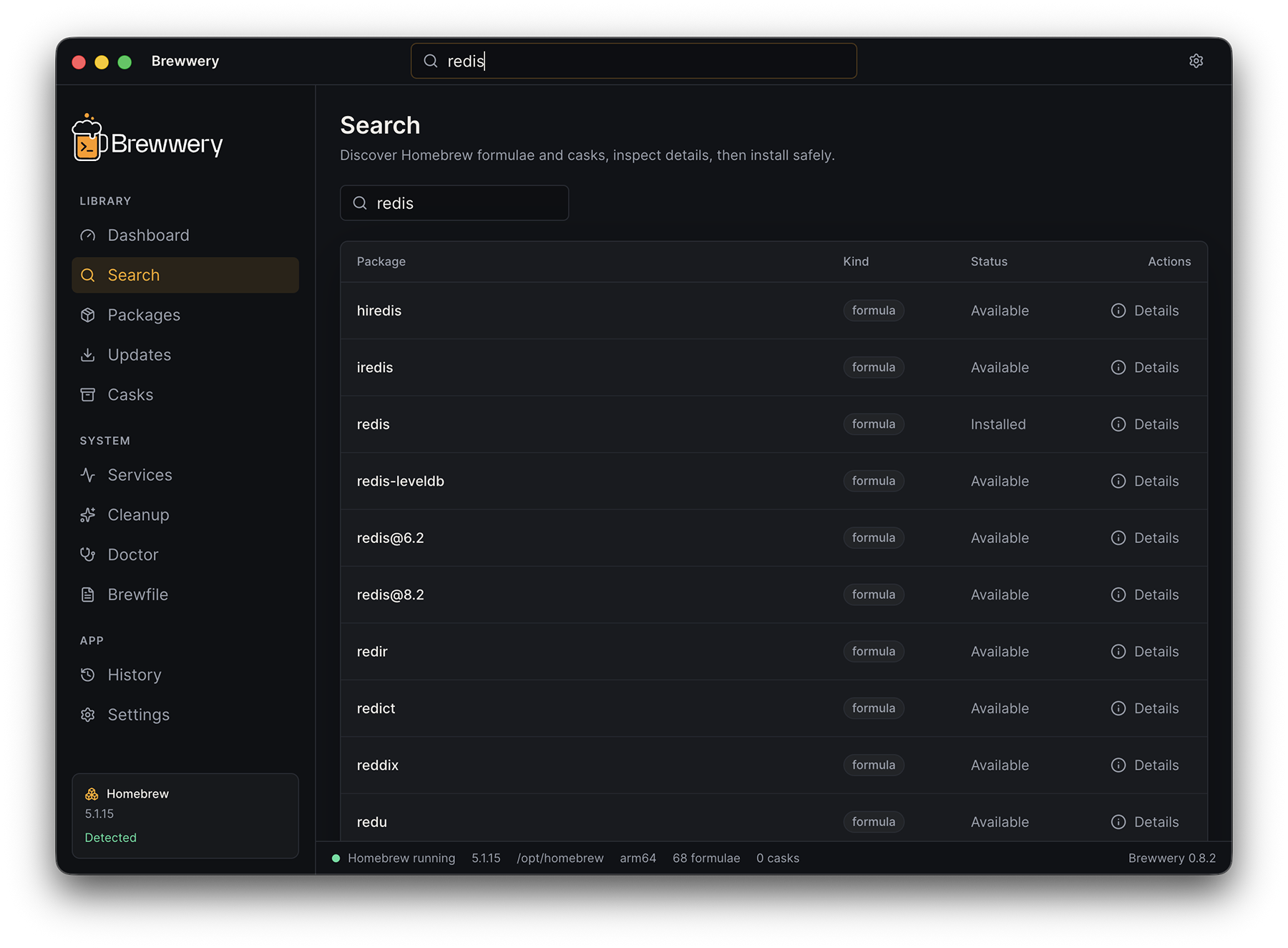
Homebrew search accepts ASCII letters, digits, and @, -, _, ., and +. Brewwery explains when a query contains anything else instead of sending it to Homebrew.
Discover
Curated collections of useful software — Essential CLI, Development, Languages, Backend, Frontend, Databases, AI Tools, Productivity, Browsers, Media, Security, and Utilities. Each card shows whether the package is installed, and lets you open details, install, or add a favorite.
Favorites
Star any formula or cask from Search, Discover, Packages, or Casks. Favorites are listed on their own page with their install status and are saved on your Mac.
In 1.1.1, JSON encoding and saving run on a serial background queue. A failed save shows Retry; normal quit waits for pending writes instead of leaving them behind.
Taps
Manage the extra repositories Homebrew installs from:
- List installed taps
- Add a tap in
owner/repositoryform, for examplehashicorp/tap - Remove a tap after confirmation
Updates
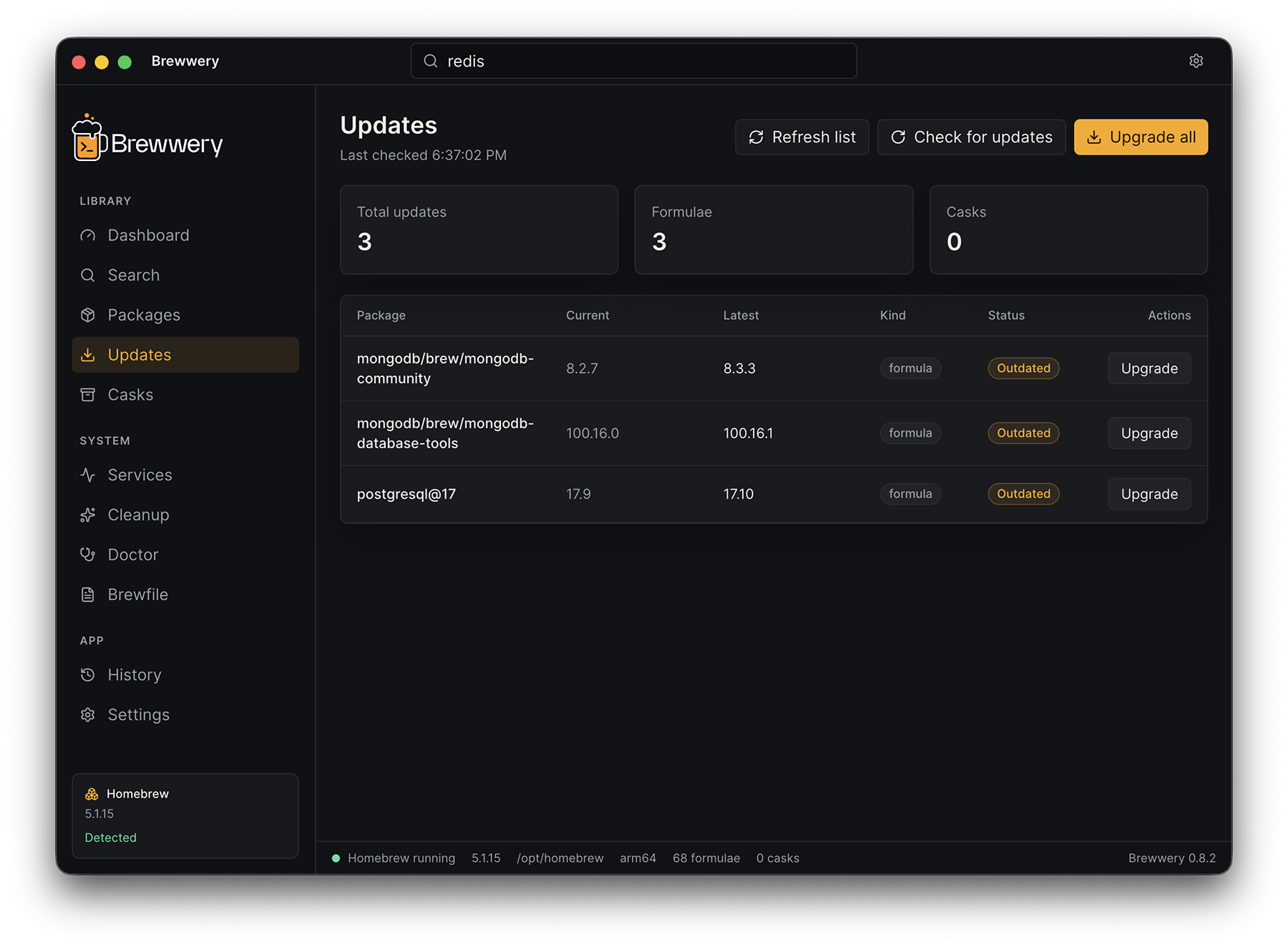
Keep everything current:
- Every outdated formula and cask with installed and latest versions
- Upgrade a single package or Upgrade all
- Check for updates runs
brew updateto refresh Homebrew’s package information, after confirmation - The same count appears next to Updates in the sidebar, in the status bar, in the menu bar, and on the Dock icon — all four read one list
- The page header says when that count was last read; background checks only run
brew outdatedand never change anything - The Dock badge can be switched off in Settings → Dock
System
Services
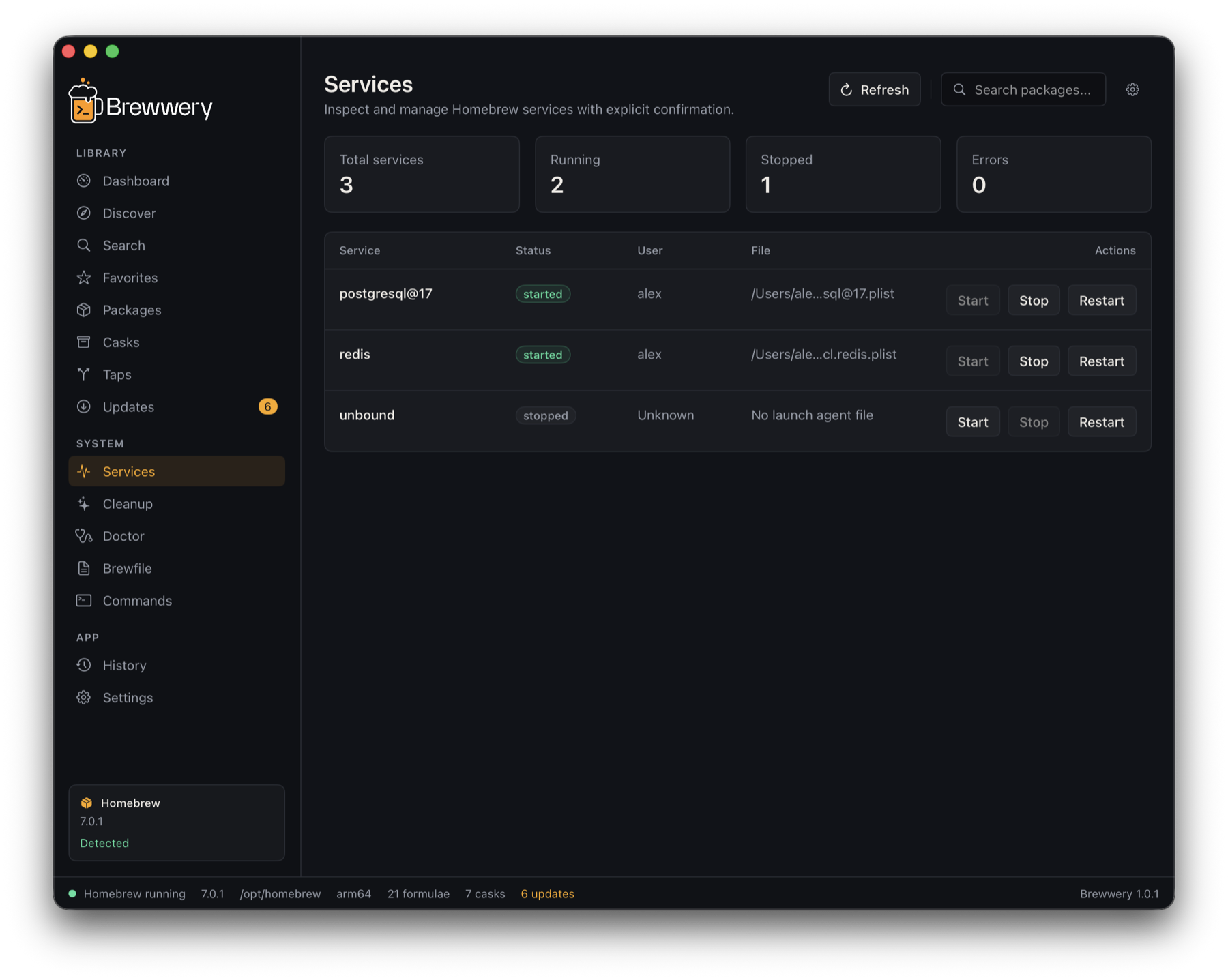
Control background services installed with Homebrew, such as databases and caches:
- Every service with its status, user, and file
- Totals for running, stopped, and failed services
- Start, stop, or restart after confirmation, with live output
Cleanup
Reclaim disk space safely. Brewwery always runs a dry run (brew cleanup -n) first and shows what would be removed and how much space it frees. The real cleanup is only available after a preview, and asks for confirmation.
Doctor
Run brew doctor and read the result as a list of issues instead of a wall of text. Copy the diagnostics to share them in a bug report.
Brewfile
- Export your current setup to a Brewfile with
brew bundle dump - Read any Brewfile — type a path or choose a file — to see its taps, formulae, casks, and Mac App Store apps grouped by type
- Compare it with this Mac: what is already installed, what is missing, and which lines Brewwery skips
- Install missing taps, formulae, and casks after confirmation, with live output
- Starter Brewfiles to open, compare, and copy
A Brewfile is Ruby, and one someone sent you can contain arbitrary code, so Homebrew never reads your file. Brewwery parses it itself and writes a new list with one validated, quoted name per line — tap, brew, and cask only — then runs brew bundle install --no-upgrade on that list. Options such as args: or restart_service:, mas and vscode entries, and conditions around lines are not carried over; the comparison lists them as skipped.
Commands
A reference of common Homebrew commands with a short explanation and a copy button for each, plus links to this documentation.
App
History
A local log of every operation Brewwery runs:
- Command, target, status, time, and bounded output for each operation, with a marker when output was trimmed
- Filters for failed and cancelled operations, and for installs, uninstalls, upgrades, pins, metadata updates, taps, services, cleanup, doctor, and Brewfile exports and installs
- Report on a failed entry opens a problem report with its output
- Search across commands and output
- Export the log as JSON, or clear it
History keeps the 100 most recent operations locally. Saves run in the background, and read/write errors are visible with Retry. Normal quit waits for pending saves; force-quit or power loss can still lose changes not yet written. Nothing is uploaded automatically, but you can export History or choose output to share in a problem report.
Settings
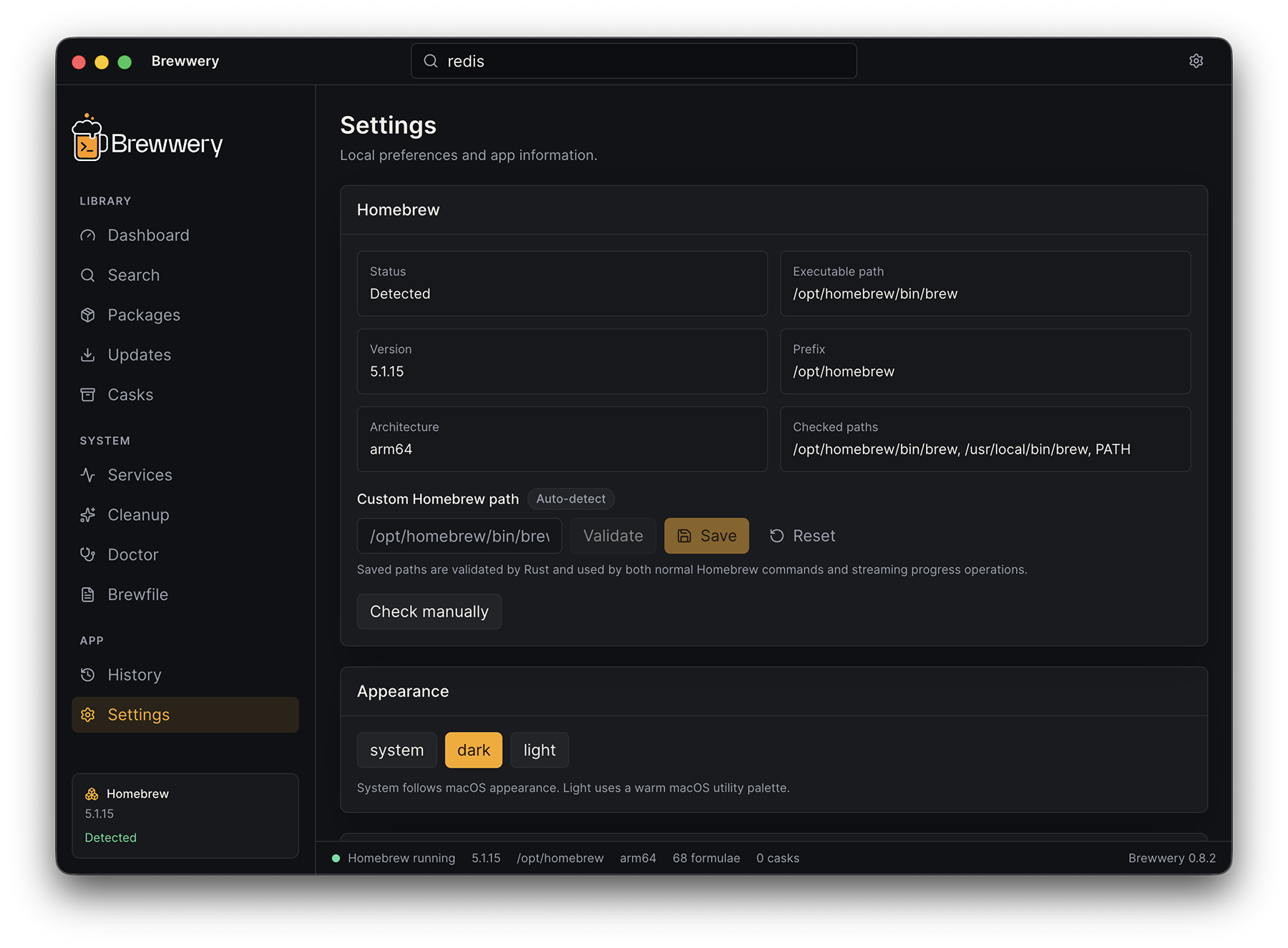
- Homebrew — detection status, version, prefix, architecture, the paths Brewwery checked, and a validated custom path
- Appearance — System, Dark, or Light
- Dock — show or hide the outdated package count on the Dock icon
- Application updates — automatic checks, pre-release versions, and Check for updates now
- History — export or clear
- About — version, channel, licenses, by Made Büro , Report a problem…, Copy diagnostics, and links to the website and release notes
Operations
Installs, uninstalls, upgrades, service actions, and cleanup run as operations:
- Output streams live into a progress panel at the bottom of the window
- Only one operation that changes Homebrew runs at a time within Brewwery, including metadata updates, tap changes, and pinning; this does not lock operations started in Terminal or another app
- Cancel stops Homebrew and every process it started, such as downloads
- Each kind of operation has a safety timeout: 45 minutes for install and upgrade, 90 minutes for a Brewfile install, 15 minutes for uninstall, 30 minutes for cleanup, and 5 minutes for services
- The panel closes by itself when an operation succeeds; failures stay open with bounded output and a Report this failure button
- Lists refresh after a failure or cancellation because Homebrew may have completed part of the operation
Reporting a problem
Report a problem… is in Settings › About, the Help menu, and the menu bar; failed operations and failed History entries have their own Report button. The report window shows the whole report before anything leaves your Mac:
- Describe what happened, and choose whether to include environment details (Brewwery, macOS, and Homebrew versions, Mac model, package counts) and the last 60 lines of Homebrew output
- Paths in your home folder appear as
~ - Open GitHub issue (
⌘↩) opens a pre-filled issue in your browser, Email… opens a message to [email protected] in your mail app, and Copy puts the report on the clipboard as Markdown
You press Send or Submit yourself — Brewwery has no server and sends nothing in the background.
Languages
Brewwery follows the language set in macOS. It is available in English and German; French, Spanish, and Portuguese are planned for the next version. To use a different language for Brewwery only, choose it in System Settings › General › Language & Region › Applications.
Keyboard
| Shortcut | Action |
|---|---|
⌘K | Search packages |
⌘R | Refresh the current page |
⌘, | Settings |
⌘1…⌘9 | Dashboard, Discover, Search, Favorites, Packages, Casks, Taps, Updates, Services |
↑ ↓ | Move through table rows |
Home End | First or last row |
Return or Space | Open the selected row’s details |
Menu bar
Brewwery adds an item to the menu bar with quick access to:
- Open Brewwery
- Check for updates, with the number of outdated packages beside it
- Run doctor
- Report a problem
- Settings
- Quit