Brewwery
A native macOS app for Homebrew.
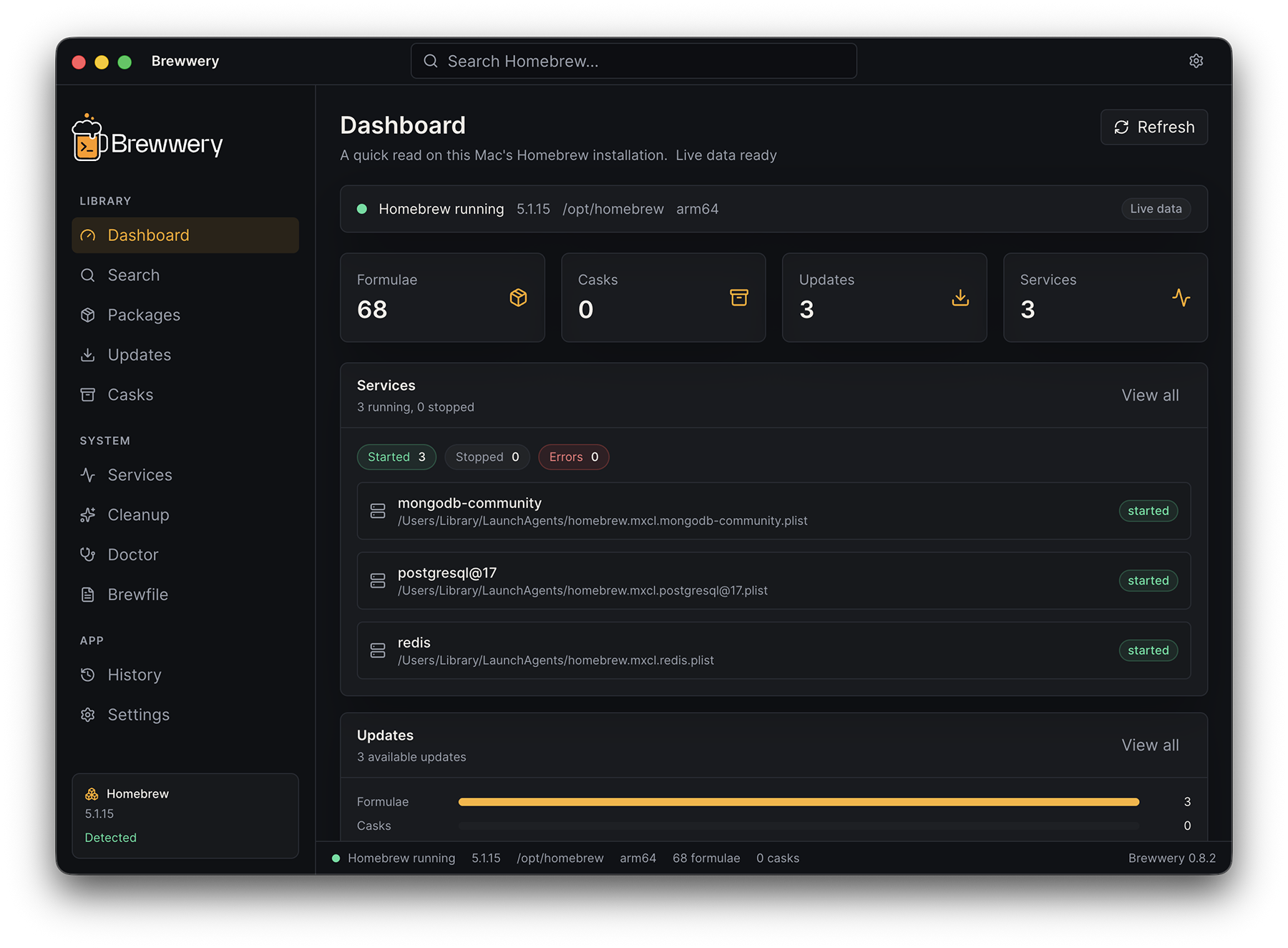
Brewwery puts formulae, casks, taps, updates, services, cleanup, and diagnostics in one clean window. It is free, open source, and local-first: launch it and your whole Homebrew setup is there, no configuration needed.
What is Brewwery?
Brewwery is a desktop app that gives you a visual interface for everything Homebrew manages. Instead of remembering terminal commands and scrolling through their output, you get a sidebar with every area of Homebrew, sortable package tables, one-click upgrades, service controls, and readable diagnostics.
Brewwery does not replace Homebrew. Every action runs the same brew command you would type yourself — Brewwery shows you exactly which one before anything changes.
Highlights
- Packages and casks — every installed formula and cask in a sortable, filterable table with details, dependencies, and dependents
- Search and Discover — find new formulae and casks, or browse curated collections, and install after confirmation
- Updates — see what is outdated, upgrade one package or everything, and get a Dock badge when updates are waiting
- Services — start, stop, and restart Homebrew services
- Cleanup and Doctor — preview disk savings before cleaning up, and run
brew doctorwith clear results - Brewfile and History — export a reproducible Brewfile and keep a local log of every operation
- Native — written in Swift with SwiftUI and AppKit; a universal app for Apple Silicon and Intel
- Safe by design — no shell, a fixed set of typed Homebrew commands, and explicit confirmation for every change
- Private — no telemetry, no accounts, no cloud sync
Current release
Brewwery 1.1.1 focuses on reliability: verified packaging, serialized Homebrew mutations, bounded command output, and background saving for Favorites and History. It builds on 1.1’s Brewfile installs, pinned formulae, problem reports, and German interface. Native 1.x releases update through Sparkle; see Getting Started and the Changelog.
Requirements
- macOS 14 Sonoma or later
- Apple Silicon or Intel Mac
- Homebrew installed